
Whatever the Workflow, AnchorAut mate makes it Faster
Work faster, respond sooner, and scale 24/7 with automation.
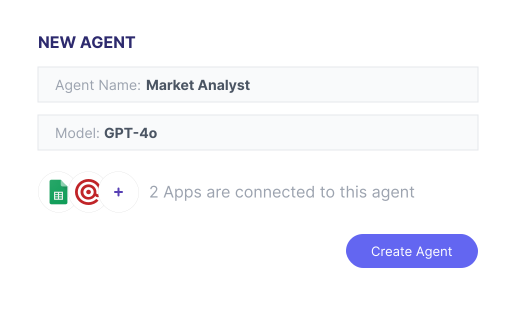
Create an Agent
Identify your agent and select the intelligence engine that powers it.
Create Task
Give your agent specific instructions and the tools it needs to succeed.

Schedule & Automate
Set the frequency and triggers to let your agent work on autopilot.

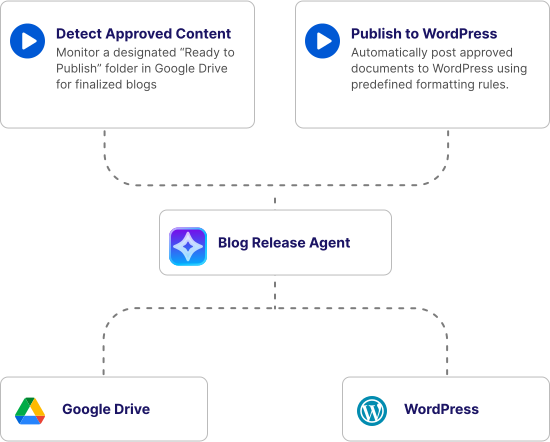
Publish Without the Back-and-Forth
Approved blogs go straight from your folder to your site, keeping your content on schedule and your team focused, with no manual uploads needed.
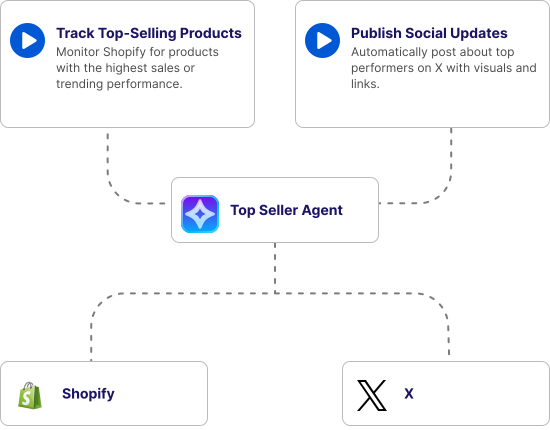
Spot Your Bestsellers Instantly
Automatically track top-selling products in Shopify and share them on X to keep your audience engaged and boost sales—without lifting a finger.
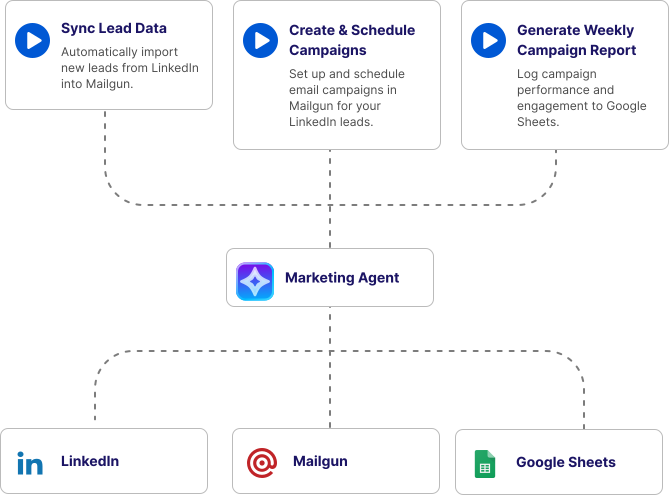
Automate Your Marketing Workflow
Automate lead capture, email campaigns, and follow-ups across LinkedIn and Mailgun to reach the right audience at the right time.
How People Use AnchorAutomate
From customer support to content creation, see how AnchorAutomate AI can fit your workflow.

Departments
Automate HR, sales, marketing, and admin tasks to save time, reduce errors, and let your teams focus on what matters most.
Industries
Tailor AI solutions to your industry, including manufacturing, healthcare, accounting, and more, streamlining processes and improving efficiency.
Enterprise
Scale automation with custom AI, on-premise agents, and hosted solutions designed for large organizations with complex workflows.
Departments
Automate HR, sales, marketing, and admin tasks to save time, reduce errors, and let your teams focus on what matters most.
Industries
Tailor AI solutions to your industry, including manufacturing, healthcare, accounting, and more, streamlining processes and improving efficiency.
Enterprise
Scale automation with custom AI, on-premise agents, and hosted solutions designed for large organizations with complex workflows.
Start Automating your manual tasks today.
Save time, reduce errors, and let your workflows run 24/7 with smart automation.

Still have questions?
Can’t find the answer you’re looking for? Please chat to our friendly team.

Automation Made Simple



Resources